

Documents
Dynamic Forms
Every input becomes a structured data point – directly in the case file, immediately workflow-ready, with no media break.
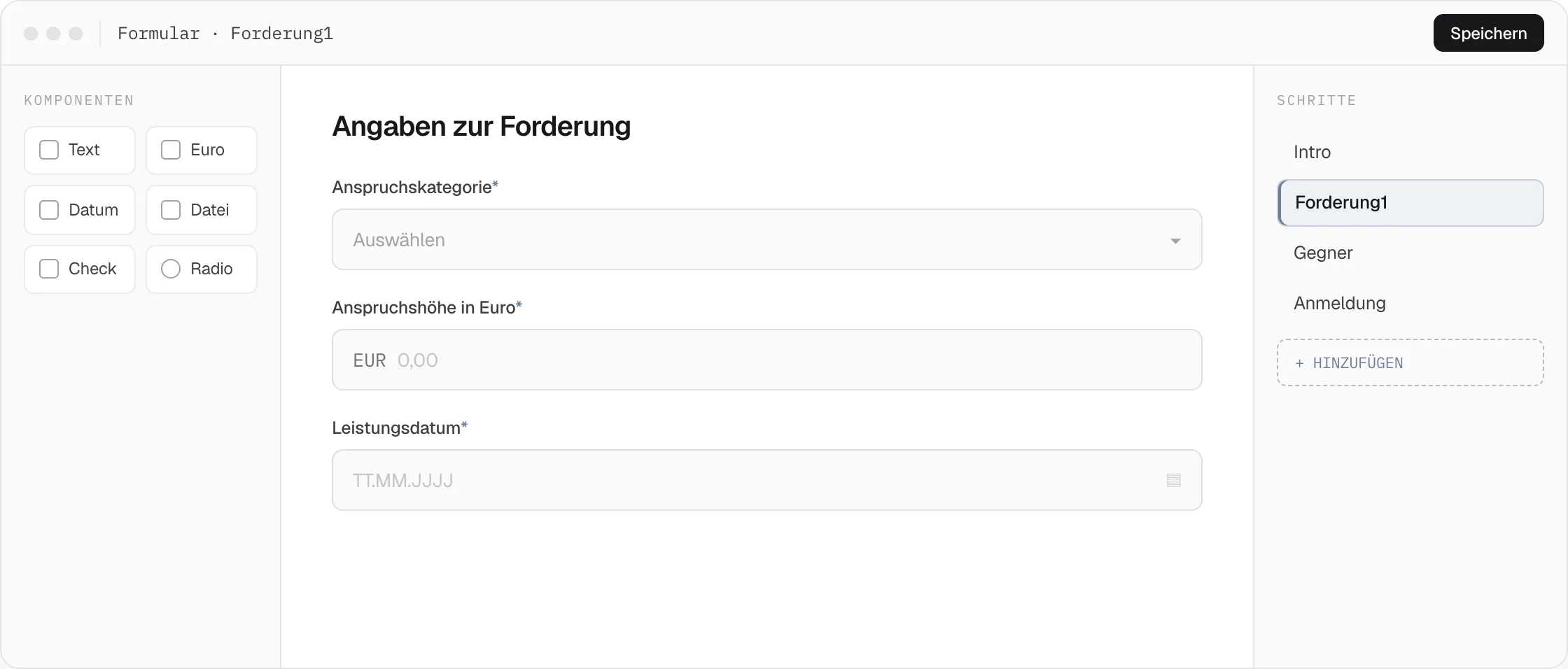
Dynamic forms aren’t input masks — they’re the point where a matter first becomes structured data. Whether it’s a mandate request, collecting a power of attorney, or a payment request: whatever a client or debtor enters in the form immediately appears as a data point in the case — ready for workflows, text templates, and claim tables.
Six field types, fully interlinked
Text, number, and date fields deliver typed data points for calculations. A digital signature automatically produces a signed PDF in the case file. Payments via Visa, PayPal, or SEPA through Mollie are booked directly into the case and trigger the next workflow step. File uploads land in the case history already OCR-processed and categorized, selection fields steer the workflow path, template, and communication channel — and the client sees the contract or invoice directly in the form before signing or paying.
Integrated into the whole system, with no media break
Dynamic forms connect directly to six DEPLAW modules: form submission acts as a BPMN trigger in the workflow editor, all fields become usable data points via data extraction, amounts from forms are automatically created as a claim, and forms can be sent to the client directly from the online case file — with no data import, sync, or separate interface maintenance.
01
Mandate request as a digital legal product
The prospective client fills out an online form: facts of the case, purchase date, damage amount. All details immediately become data points, a workflow calculates the chances of success and automatically generates an initial assessment.
Form › Data points › AI review › Initial assessment
02
Collect power of attorney and documents digitally
Via link or QR code, the client signs the power of attorney and uploads the purchase contract — in one step, without paper, without scanning, without mailing anything back.
QR code › Signature › Upload › Case complete
03
Collect the cost advance directly
Credit card, PayPal, or SEPA — the client pays directly within the form. The payment is booked into the case immediately and automatically triggers the follow-up process.
Form › Payment › Booking › Workflow
04
Collections portal for debtors
A QR code on the reminder letter takes the debtor to a pre-filled payment form with an installment option — debt collection that scales to thousands of cases without human interaction.
QR code › Payment / installment › Close case
Related Features
Pairs well with Dynamic Forms.
Documents
Text Generator
From template to ready-to-send PDF – with data points pulled from the case file, automatic letterhead, and an AI that already knows the case.
Documents
Text Blocks
A central library of referenceable templates that automatically resolves gender, grammatical case, and condition logic, and attaches documents on its own.
Automation & AI
Workflow Editor
Draw tasks, gateways, and events by drag and drop. What you model becomes executable logic – from beA classification to batch dispatch.