

Finance
Bookkeeping & Client Funds
DEPLAW automates the entire bookkeeping process in a DATEV-compliant way – from incoming payments through account posting to client funds disbursement. Includes Konfipay import, flexible chart-of-accounts frameworks, and cross-case controlling.
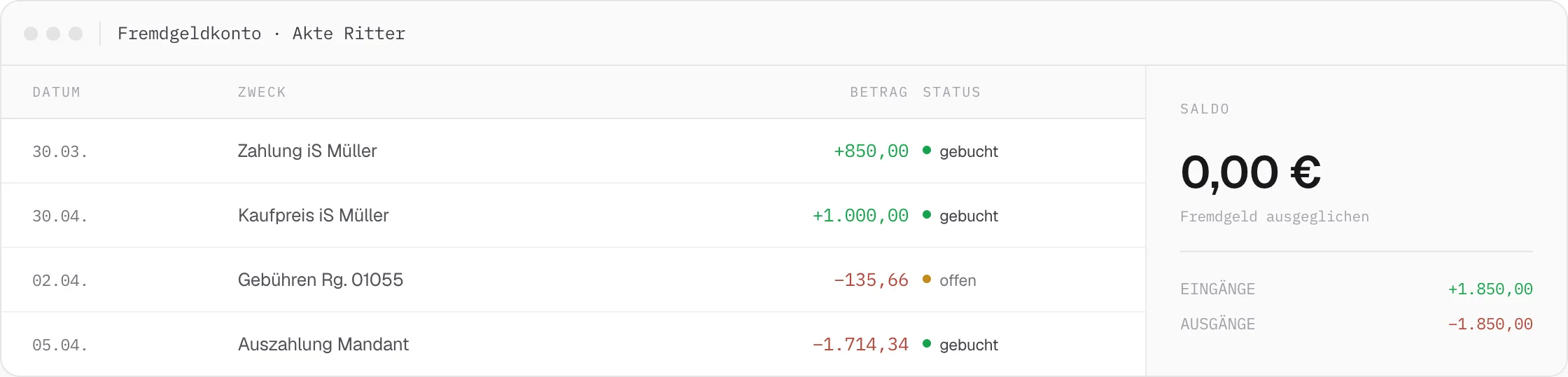
For law firms and legal departments, managing client funds is one of the biggest sources of liability risk in day-to-day business. DEPLAW therefore maps the entire bookkeeping process directly into the case file – from payment receipt to disbursement – instead of tracking it in parallel in separate accounting software.
DATEV-Compliant Export
A properly compliant DATEV export relies on correctly set up chart-of-accounts entries, aligned with the chosen accounting framework. Because accounts for fees, costs, and client funds can be set up freely to match a firm’s specific needs, the export stays correctly attributable even with individual chart-of-accounts setups.
Before the Year-End Close, Not After
Because every case maintains its own booking account, discrepancies become visible immediately instead of surfacing only during the year-end audit. Cross-case controlling shows open client-funds items and unbalanced accounts before they turn into a liability risk.
01
Chart of Accounts
Flexible chart-of-accounts frameworks (SKR) for fees with and without VAT, client funds, overpayments, and project-specific cases – set up without restriction. Multiple accounting units run in parallel without affecting each other.
SKR · multiple accounting units
02
Import Transactions
Incoming payments are imported fully automatically via the Konfipay interface, or alternatively entered manually via CSV in CAMT-08 format. Duplicate imports are detected automatically, and balances are reconciled continuously.
Konfipay · CSV / CAMT-08
03
Post Payments to Accounts
Postings to business and client funds accounts run through batch processing and are assigned directly to the matching claim. Client funds disbursement happens in the same step: one click generates and initiates the transfer order.
Batch processing · one-click disbursement
04
Booking Controlling
Every case maintains its own booking account. Balanced accounts are marked green, and open items are visible immediately – cross-case controlling catches shortfalls before the year-end close, not after.
Cross-case · before the year-end close
Example · From payment receipt to disbursement
One incoming payment, automatically posted and disbursed.
From Konfipay import to the initiated disbursement, the entire bookkeeping process runs without any manual transfer into a separate program.
Every case, its own booking account
Client funds in view – across every case.
Balanced accounts are marked green, open items are visible immediately – cross-case controlling catches shortfalls before the year-end close.
Related Features
Pairs well with Bookkeeping & Client Funds.
Finance
Transfers
Payment processing without a system break: create it in the case file, have it approved automatically, and execute it via Konfipay or CSV export.
Finance
Payment Orders
From the automatically generated payment order application to the enforcement order, the entire court payment order procedure runs without manual intervention.
Finance
Payment Interfaces
Clients and debtors pay by credit card, PayPal, Apple Pay, or SEPA — the payment lands automatically in the case file and triggers the next workflow step.