

Case File & Inbox
Inbox
One inbox for beA, email, fax and the online case file – with the same automation rules for every channel. Tested in practice with more than 10,000 incoming messages per day, with no message ever missed.
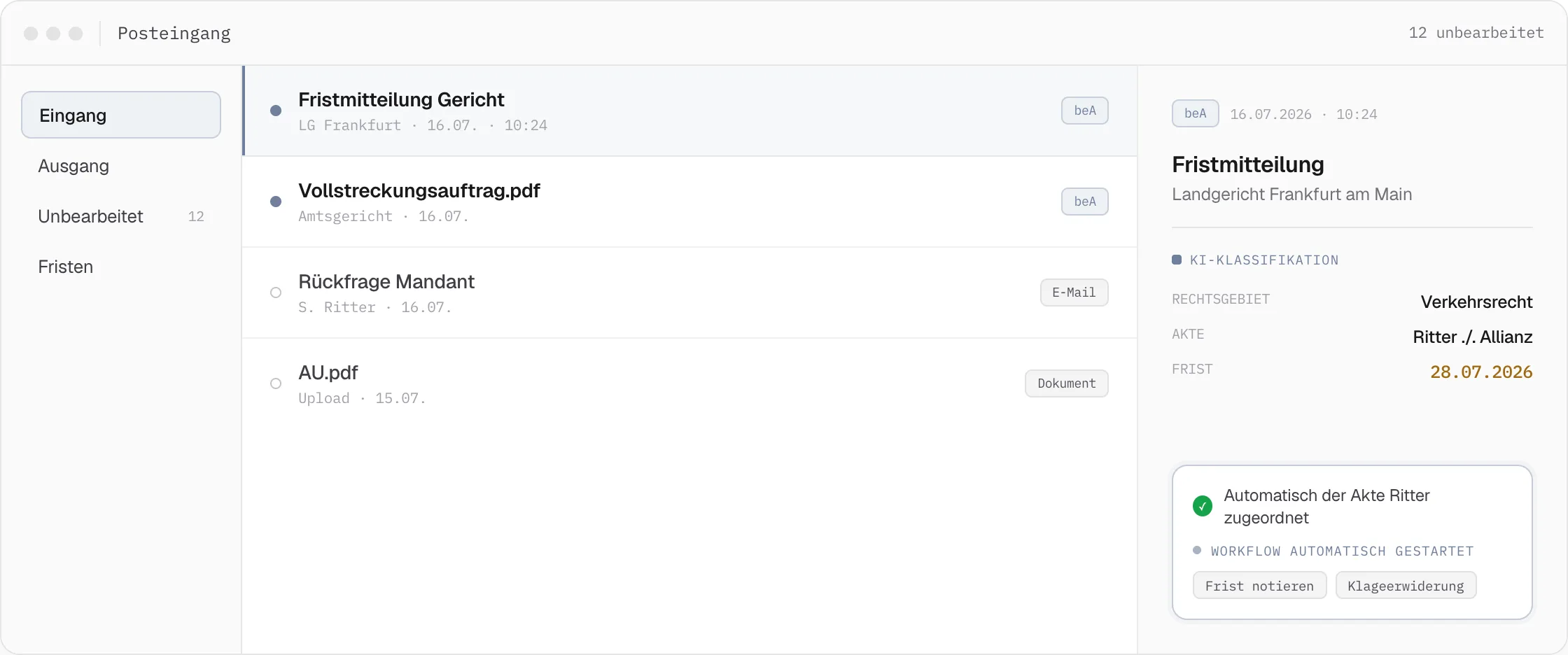
Instead of separate tools for each incoming channel, beA, email, fax and the online case file all run through the same central inbox – with the same automation rules for every channel. Every document is automatically pre-processed, AI-classified, and assigned to a case file before anyone opens the message. The inbox is therefore not the end of a process, but the starting signal for the downstream workflow.
Scales for high message volume
For legal expense insurers or law firms processing several thousand – at peak, several tens of thousands – incoming messages a day, purely manual review can barely keep up with deadlines. The smallest delays in intake would otherwise slow down every downstream process. The central inbox handles this pre-sorting in the background, so only already classified and assigned matters need to be reviewed.
Manual review and deadline control
Every pre-processed document can also be reviewed in a dedicated view for human batch processing: confirm the automatic assignment, correct the label, note a deadline, or start a workflow directly. Detected deadlines are immediately fed into the process – timer events in the workflow trigger automatic follow-ups and escalations before a deadline is missed.
01
beA · eBO · EGVP
beA messages for all lawyers and firms are consolidated in one place. eBO and EGVP mailboxes – for example for legal service providers, insurers, or public authorities – also arrive centrally.
Full integration of all e-justice channels
02
All configured email mailboxes are synced firm-wide into the central inbox, including Microsoft Outlook 365 integration – with consistent downstream processing for every contact.
All mailboxes synced
03
Fax
Incoming faxes are captured digitally and processed through the same automation logic as every other channel – with no break in the media chain between fax and case file.
No media break
04
Online case file / new inquiries
Client messages from the online case file and new engagement inquiries also appear in the central inbox – for fast handling.
Client communication, centralized
Example · Incoming beA letter
One document, automatically pre-processed in five steps.
From arrival to case assignment, the same pre-processing runs for every document – regardless of channel or original format.
Thousands of messages, one inbox
One inbox. The entire message volume.
Every channel lands in the same inbox – pre-processed, AI-assigned, and flagged with a deadline before anyone opens the message.
Related Features
Pairs well with Inbox.
Case File & Inbox
beA Interface
Incoming beA messages are classified automatically, and hundreds of submissions can be sent in the same step, each with its own delivery report.
Case File & Inbox
Online Case File
Clients see their case in real time, submit documents, and sign powers of attorney via touchscreen – entirely in the browser, with no separate case portal needed.
Case File & Inbox
Case History & Input Management
Full-text search, AI tags, and automatic filing from every channel turn the case history into a seamless, instantly usable case chronicle.